

Reservation of Employees in Ukraine: Procedure, Documents and Timing
Cost of services:
Reviews of our Clients
... our work on joint projects assured us of your high level of professionalism
A company may obtain employee reservation from mobilization (a mobilization deferment) if it has a valid legal basis, properly maintains military records, and has submitted accurate information to the relevant state registers. A director or HR specialist dealing with employee reservation for the first time should focus on the end result: confirmed deferments for specific employees with a defined expiration date. Merely submitting an application does not produce that result.
Below is a step-by-step guide to reserving employees from mobilization where your company has critical-enterprise status and submits the employee list through Diia: which steps to complete, who prepares the documents, and what to check once the result is received.
Important! This employee reservation procedure is described as of October 6, 2026.
Employee Reservation From Mobilization: What a Company Needs Before It Starts
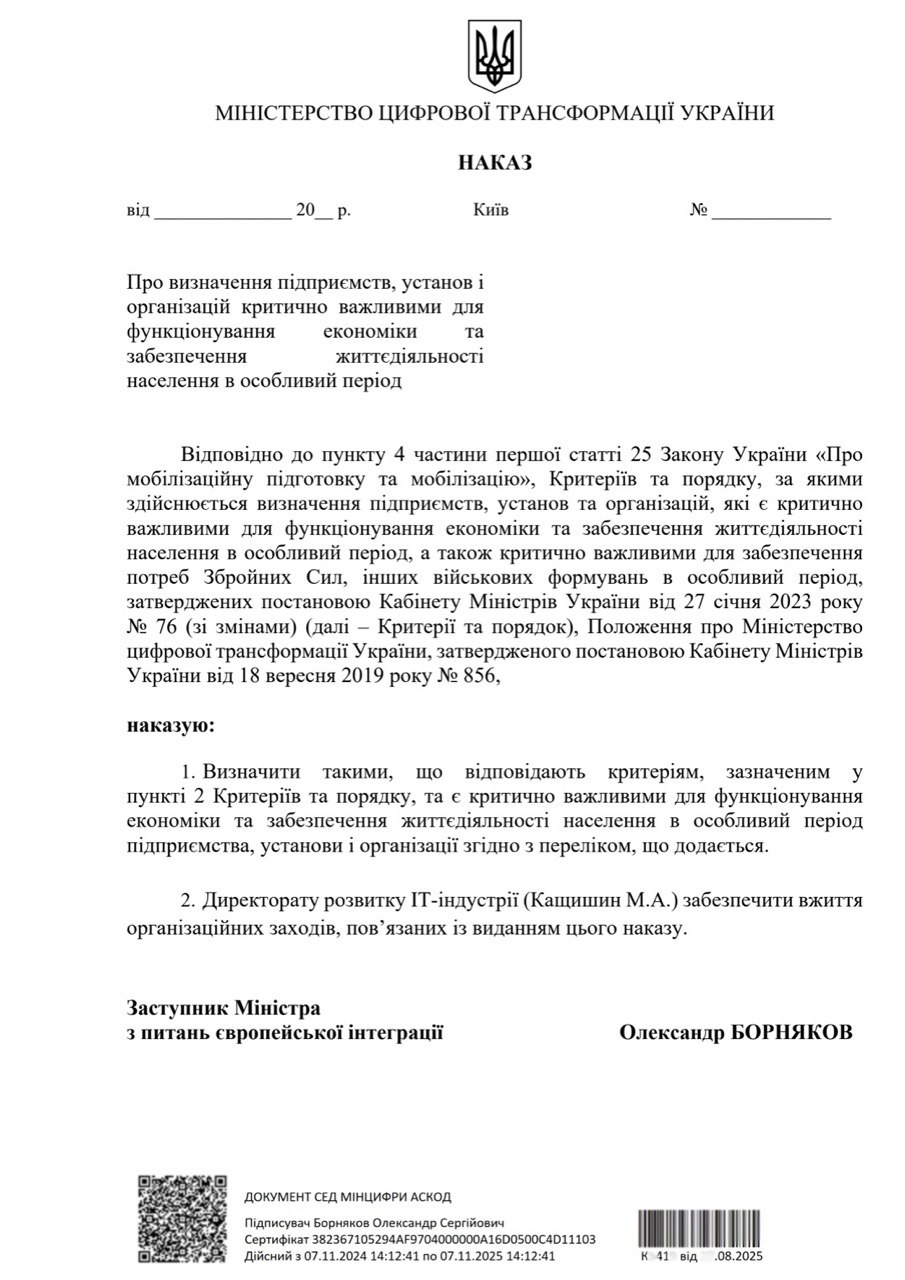
Start by checking three things: whether the company’s critical-enterprise decision is still valid, what legal basis you have for reservation, and what reservation quota is available. The decision must also be reflected in the state system: the authority that issued it enters the company in the Unified List for employee reservation. If this has not been done, the company may have the decision on paper but still be unable to access the service in Diia. For more on the legal grounds, see “Which Companies Can Reserve Employees From Mobilization?”; for quotas, see “Employee Reservation Quotas: How to Calculate and Increase the Limit to 100%.”
Second, make sure that individual military records and employment data are current. The information held by HR, the Pension Fund, and the military register must be consistent. Ordinary critically important enterprises are also subject to a salary requirement for certain employees. The reservation procedure approved by Cabinet of Ministers Resolution No. 76 provides specific exceptions. The applicable requirement must be checked for the relevant category of employer and employee. The old rule of thumb that “everyone must receive 2.5 minimum wages” should not be used.
We explain in detail how a company can obtain critically important enterprise status in a separate article. Here we focus on submitting the employee list and obtaining the result.

Employee Reservation Procedure: From Company Eligibility Review to Mobilization Deferment
- Check the critical-enterprise decision: company name, EDRPOU code, issuing authority, date, and validity period. If the company does not yet have the status or the decision has expired, a valid decision must be obtained first. Do not postpone renewal until the last day of an employee’s current deferment.
- Confirm that the company has been entered in the Unified List. If Diia does not recognize the company’s right to reserve employees, contact the authority that issued the critical-enterprise decision and provide its details. If the company is missing from the Unified List, repeatedly entering the employee list will not fix the issue.
- Prepare a working list of candidates. HR verifies employment relationships, military-registration data, and any existing deferments. Accounting verifies salary data. Management decides whom to include within the available quota.
- Correct discrepancies before filing. If the employment relationship is not reflected in the state systems, the employer should update the data through the relevant government services. If there is an error in the employee’s military records, the correction method depends on the nature of the error. An internal HR order does not replace correcting the record in the relevant register.
- Create and sign the employee list in Diia. Before signing, check the employees included in the list, the company data, and the confirmations that the company meets the applicable requirements.
- Review the result for each employee. If the result is negative, identify the reason, correct it, and submit updated information. Acceptance of the application does not mean that the entire employee list has been approved.
- Check that the deferment appears in the employee’s electronic military-registration document. Save the result, record the expiration date, and enter the information in the company’s internal military records.
Employee Reservation Through Diia: Who Submits the List?
The list is submitted by the head of the company or an authorized representative, as provided by Procedure No. 76. A valid electronic signature is required. The signatory’s authority and data must meet the service requirements and match the Unified State Register. Being able to log in to the account does not necessarily mean that the person is authorized to sign an application on behalf of the legal entity.
In the Diia account, select the employee reservation service, verify the company details, and create the list of persons liable for military service. Some information is pulled from state registers automatically. The company remains responsible for the information entered and the confirmations provided during submission.
Important! For legal support, the director does not need to provide a personal signing key or password. A lawyer may prepare the data and guide the completion of the filing, while the signature remains under the owner’s control.
Documents Required for Employee Reservation From Mobilization
Not every document used for employee reservation is uploaded to Diia. Some documents support the company’s eligibility and the accuracy of the data used by the system to produce the result.
- Critical-enterprise decision, including its details and validity period. The company head provides the decision; the authorized state body enters the company in the Unified List.
- Current Unified State Register data on the company and the signatory, together with documents confirming authority where an authorized representative acts. These are prepared by management and the lawyer.
- Employee list containing full names and Ukrainian taxpayer identification numbers (RNOKPP), or, where permitted by law, the appropriate passport details instead. HR should prepare the list from the employees’ current documents rather than from an arbitrary spreadsheet used in an earlier filing.
- Current military-registration documents and employee status information. Employees provide the documents; the responsible person verifies the information against the company’s military records.
- HR documents concerning hiring, transfers, and dismissals, together with current employment data. HR and accounting check whether all required changes are correctly reflected in the state systems.
- Salary calculation data and documents confirming any special condition or exception that applies. Accounting prepares the financial data; the lawyer determines which specific requirements apply in the company’s situation.
- Information on existing reservations and other deferments, the available quota, and the results of previous submissions. The responsible person compiles this information before a new list is created.
If the company is still applying for critically important enterprise status, that procedure requires a separate evidence package based on the criteria of the competent authority. There is no single universal set of supporting documents that applies to every business.
Timing: Processing the Employee List and the Duration of the Deferment
Preparation includes checking the company’s status, verifying the employees, and correcting any discrepancies. How long this takes depends on the state of the documents and register data. If the company has not yet obtained critically important status, obtaining that status is a separate stage and is not included in Diia’s list-processing period.
For a standard filing by a critically important enterprise, Procedure No. 76 provides for automatic transfer to special military registration within 72 hours after the list is created, provided the checks are passed. Separate rules apply in certain cases, including the extension mechanism specified by the Procedure after critically important status is reconfirmed, and the 45-day reservation for employees with military registration violations.
Older notices about a temporary reduction of the general processing period to 24 hours should not be treated as a universal rule. We explain the changes in Updated Employee Reservation Rules in 2026: What Changed.
For this category of companies, a deferment may be granted for up to 12 months. Always check the actual expiration date in the result and in the employee’s military-registration document. Dismissal, loss of critically important status, and other circumstances established by law may cause the deferment to be cancelled earlier.
We explain how to maintain military records after reservation in a separate article on common company mistakes after employee reservation.
Where the Procedure Commonly Stops: Our Experience
The 72-hour period therefore runs from the moment the list is created. In practice, however, the procedure often stops either before that countdown begins or after it:
- before filing — when the company does not yet have a valid legal basis for employee reservation;
- after filing — when the system returns a negative result for one or more employees on the list.
The first situation is illustrated by one of our cases. We assisted a driving school in the Kyiv region that could not yet submit an employee list because it first needed a decision establishing the basis for reservation. We prepared the justification showing why the business was important to the local community and supported the review process. After the initial filing, the administration requested additional documents, and we handled those requests. Once the driving school received the required status, we helped complete the employee reservation process through Diia.
This matter is described in detail in our Driving School Case Study. It was published in 2024 and illustrates how we work with supporting documents; current criteria and deadlines should always be checked under the rules in force at the relevant time.
The lesson from this case is relevant to any employer trying to reserve employees from mobilization: start by checking the company’s legal basis. An employee list cannot compensate for an unprepared eligibility stage.
The second situation arises after submission, at the electronic-list stage. A negative result may be caused by an inconsistent military-registration status, unconfirmed employment, discrepancies in personal data, or another obstacle identified by the automated checks. The specific system response must be reviewed. Resubmitting the same application without correcting the underlying reason only wastes time before the current deferment expires.
If You Need Help With Employee Reservation
If your review shows that the company is missing from the Unified List, employee data do not match, or it is unclear whom you may include in the list, these issues should be resolved before filing.
We support companies through every stage of employee reservation: checking the legal basis and readiness, reviewing the candidate list, identifying which documents are needed to correct discrepancies, preparing the submission, and checking the final result. If the issue arises before the Diia filing stage, we separate what the employer must do, what the employee must do, and what falls within the authority of the relevant state body.
For an initial assessment, we need the company’s EDRPOU code, the critical-enterprise decision, the number of employees and proposed reservation candidates, the expiration dates of current deferments, and any notices of previous refusals. We then determine the scope of work, timing, and cost of support and agree on a secure method for transferring personal documents.
Need help with employee reservation from mobilization? Submit a request on the service page or call the listed phone number.
Services on the topic of this material
Our publications on this matter


Our clients


We are ready to help you!
Contact us by mail [email protected] or by filling out the form:
Other publications by the author

A guide for a foreign spouse of a Ukrainian citizen: where to start, when the D-14 visa is required, which documents to file and why permits get refused.

A step-by-step guide to selling a share in a Ukrainian LLC: what to check before the deal, what the agreement and the transfer act must contain, when a notary is needed and who pays the taxes.

A step-by-step guide for a participant withdrawing from a Ukrainian LLC: when consent is required, how the application is notarised, what is filed for registration and how the company pays for the share.

A worked example of the ECHR application form for applicants from Ukraine: seven steps from checking the time limit to posting the file, and seven mistakes that stop an application.
Our other authors